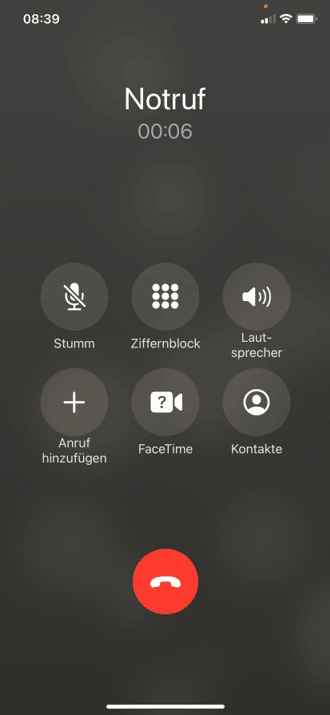
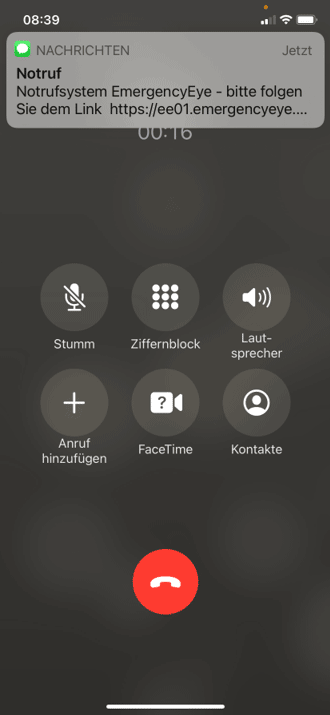
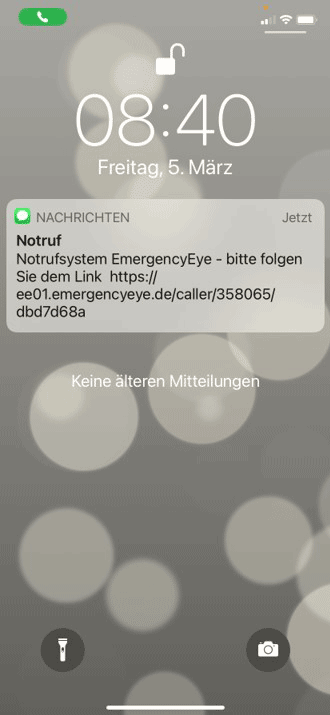
- Either the SMS shows up immediately at the top of the screen. Otherwise, swipe the screen from top to bottom!
-
-
-
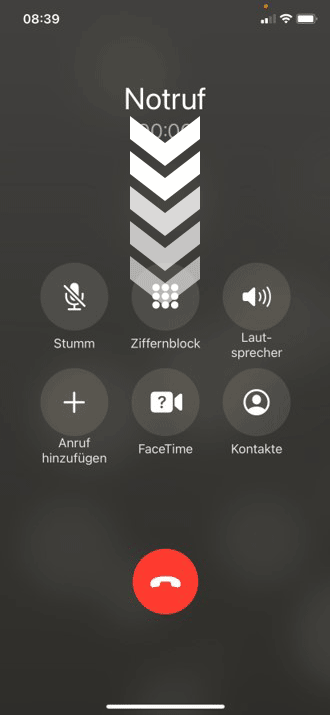
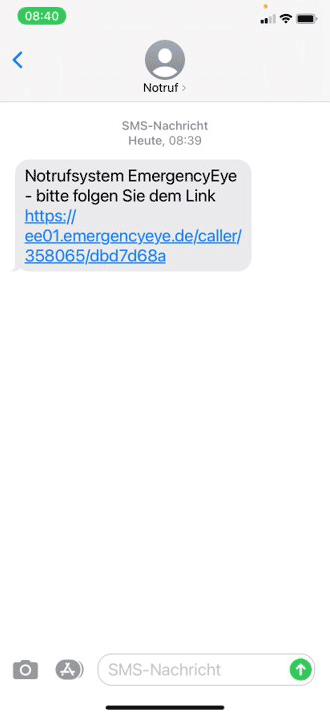
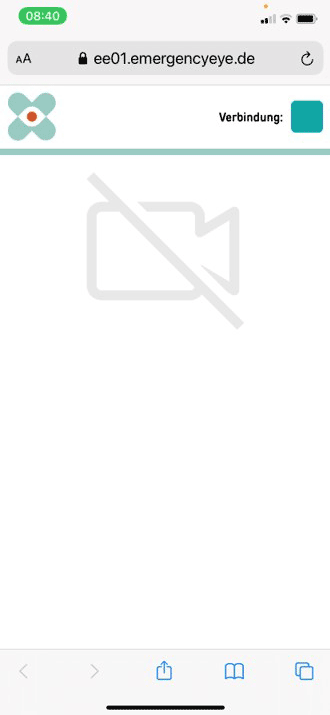
- Then the latest news shows up. Tap the top one! Tap the blue text in the text message! The user is now connected to EmergencyEye.
-
-
-
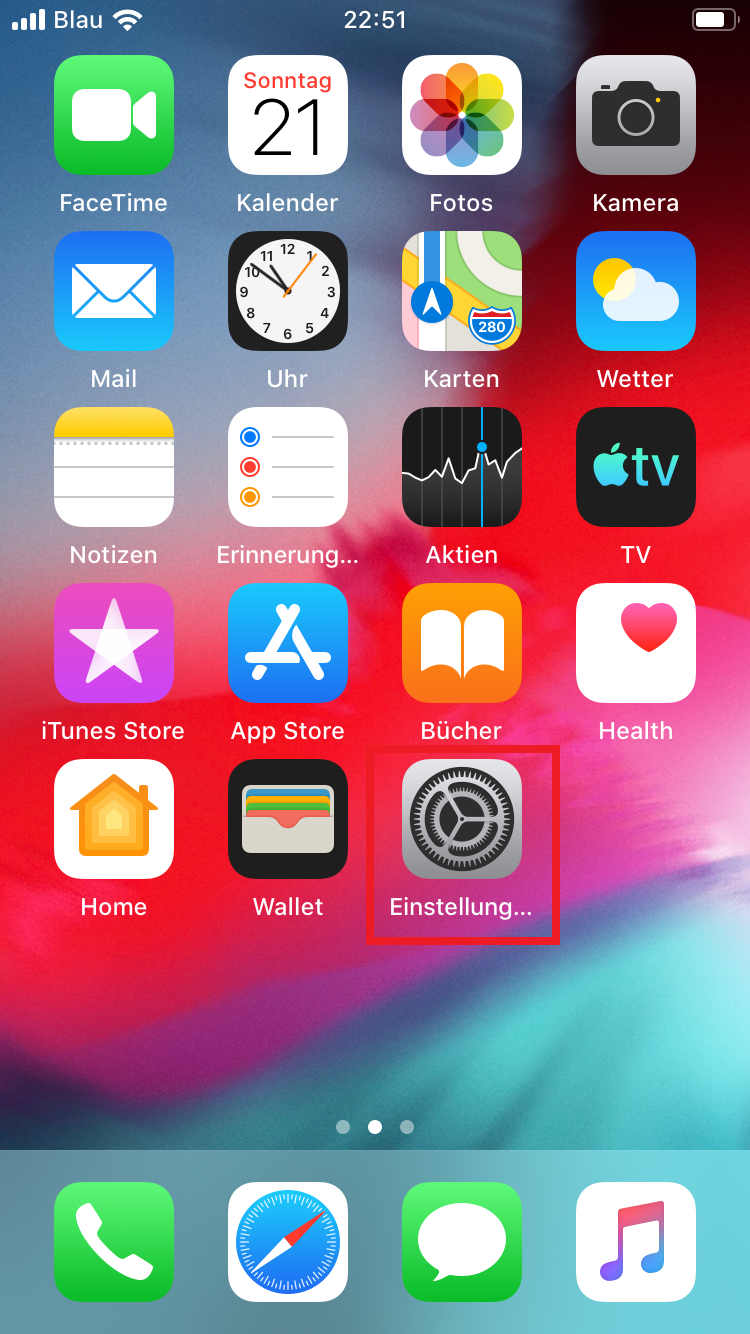
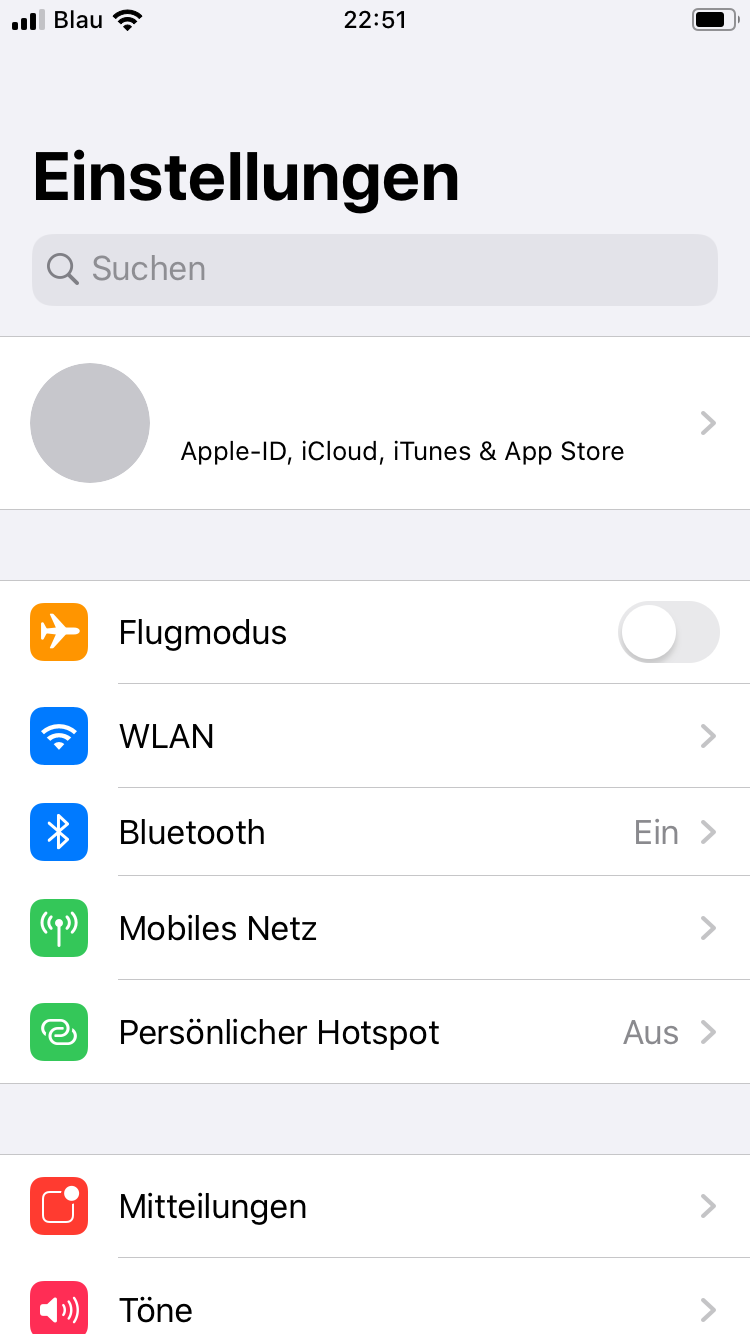
- Press the homescreen button once (large round button under the display) or swipe upwards on the screen to open the homescreen. Open the Settings app (cogs). Scroll down to “Privacy”.
-
-
-
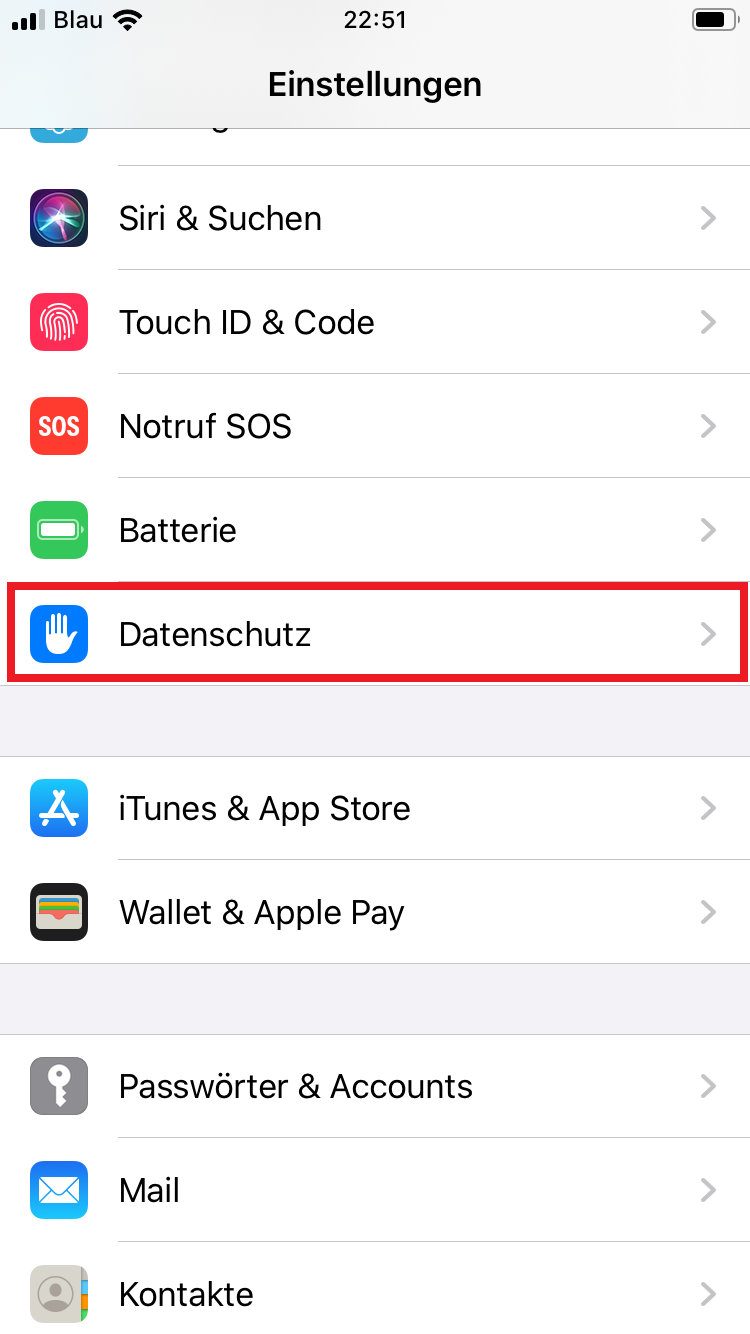
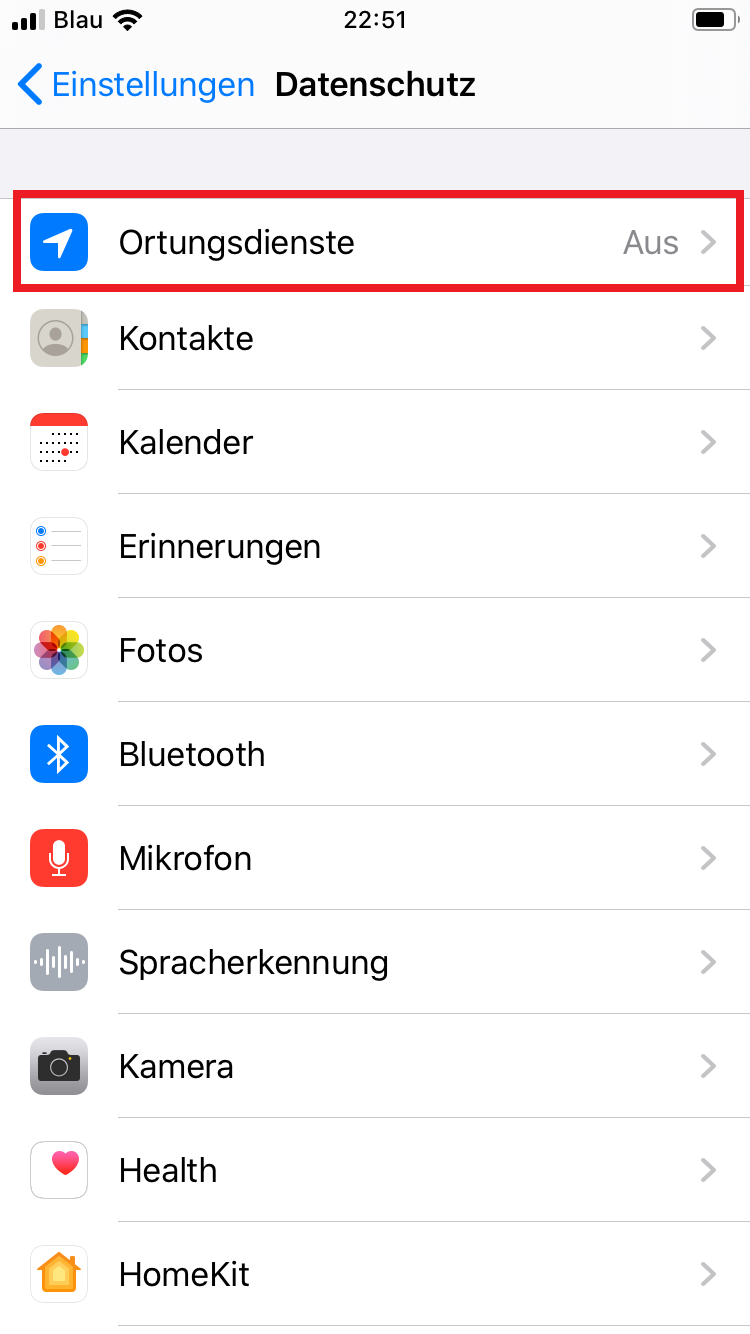
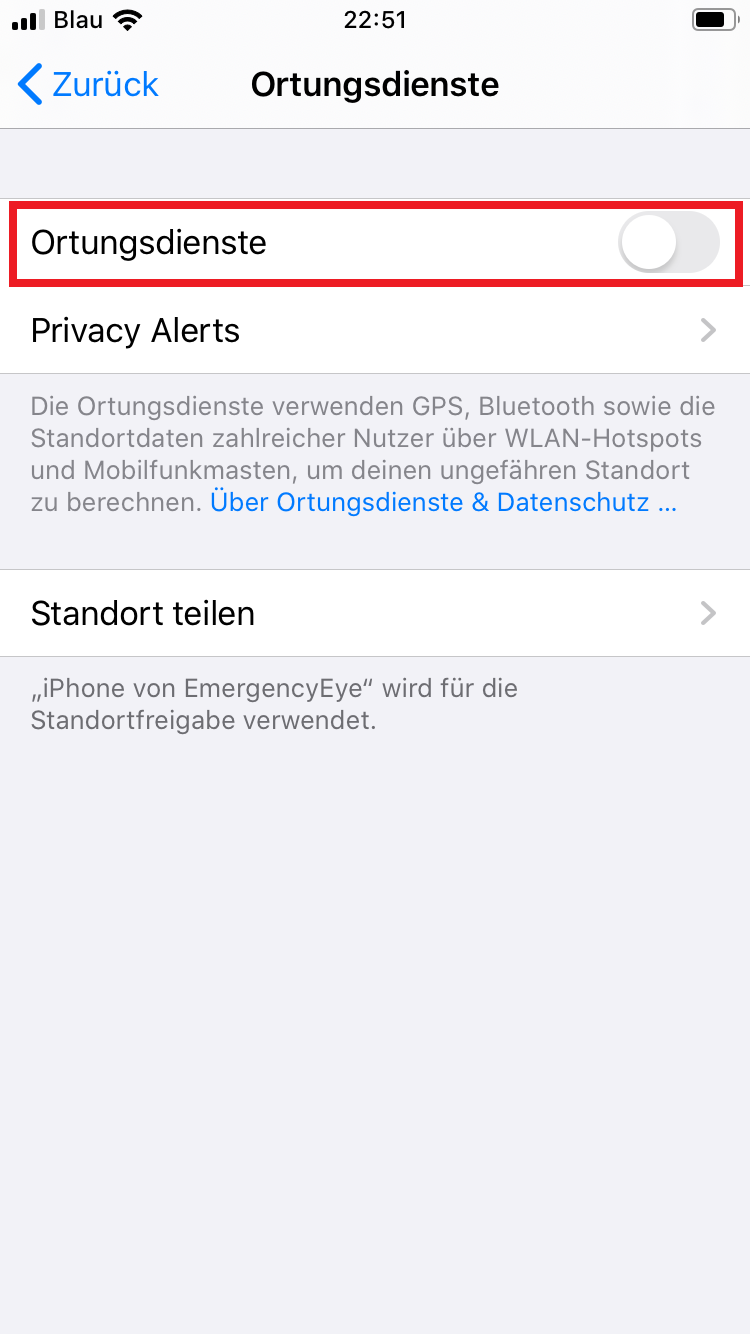
- Tap “Location Services” Then flip the switch at “Location services“.
-
-
-
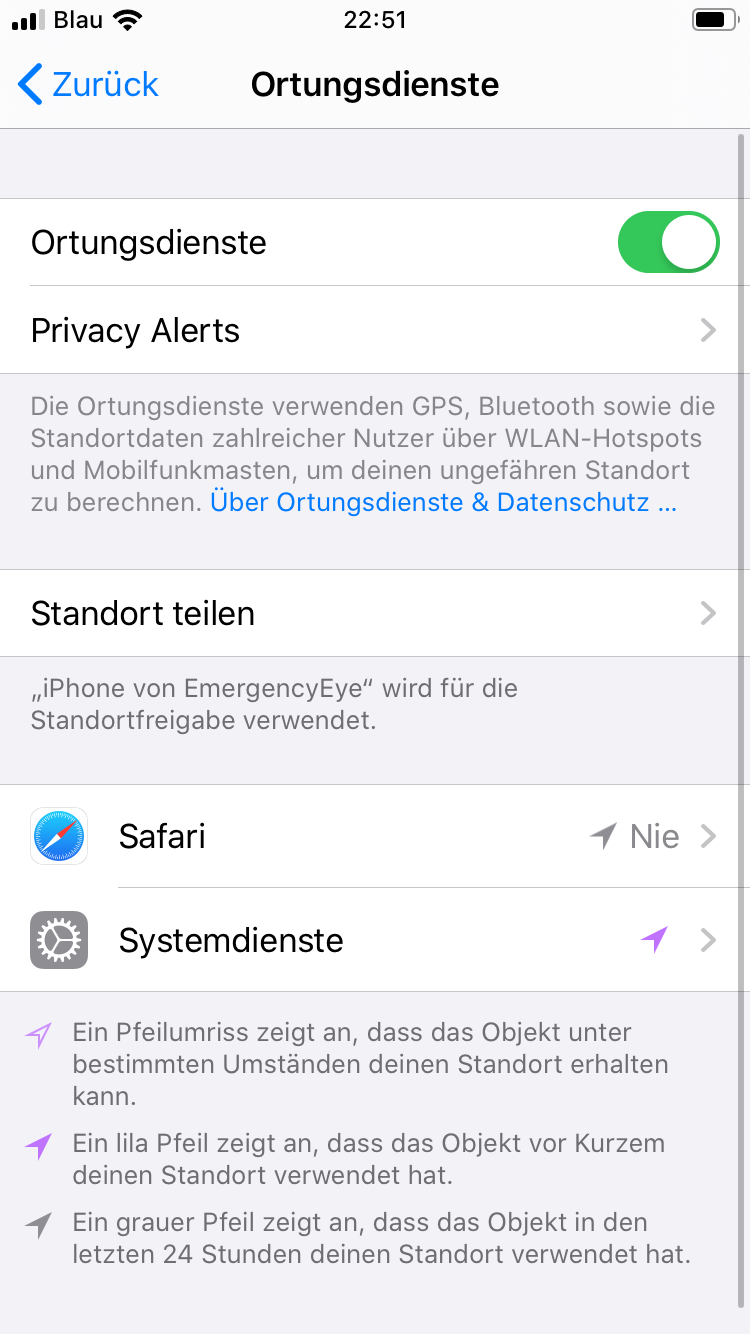
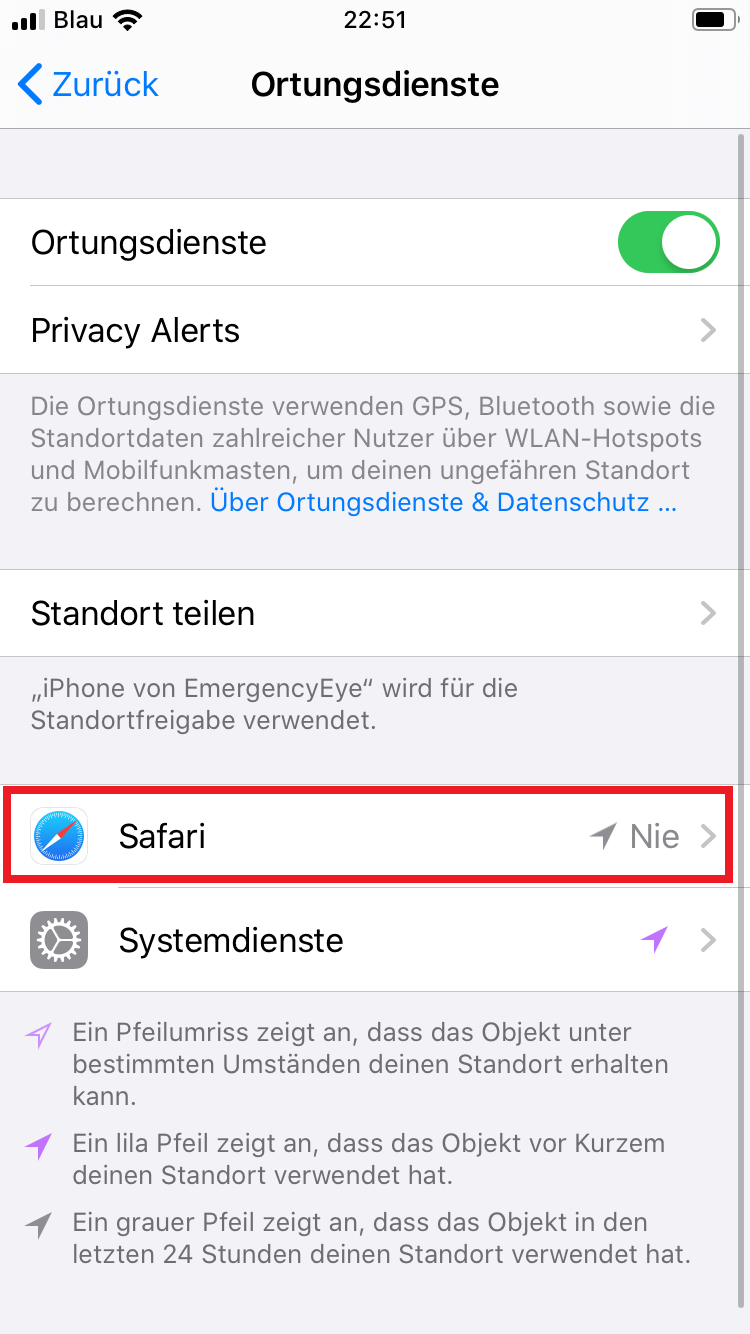
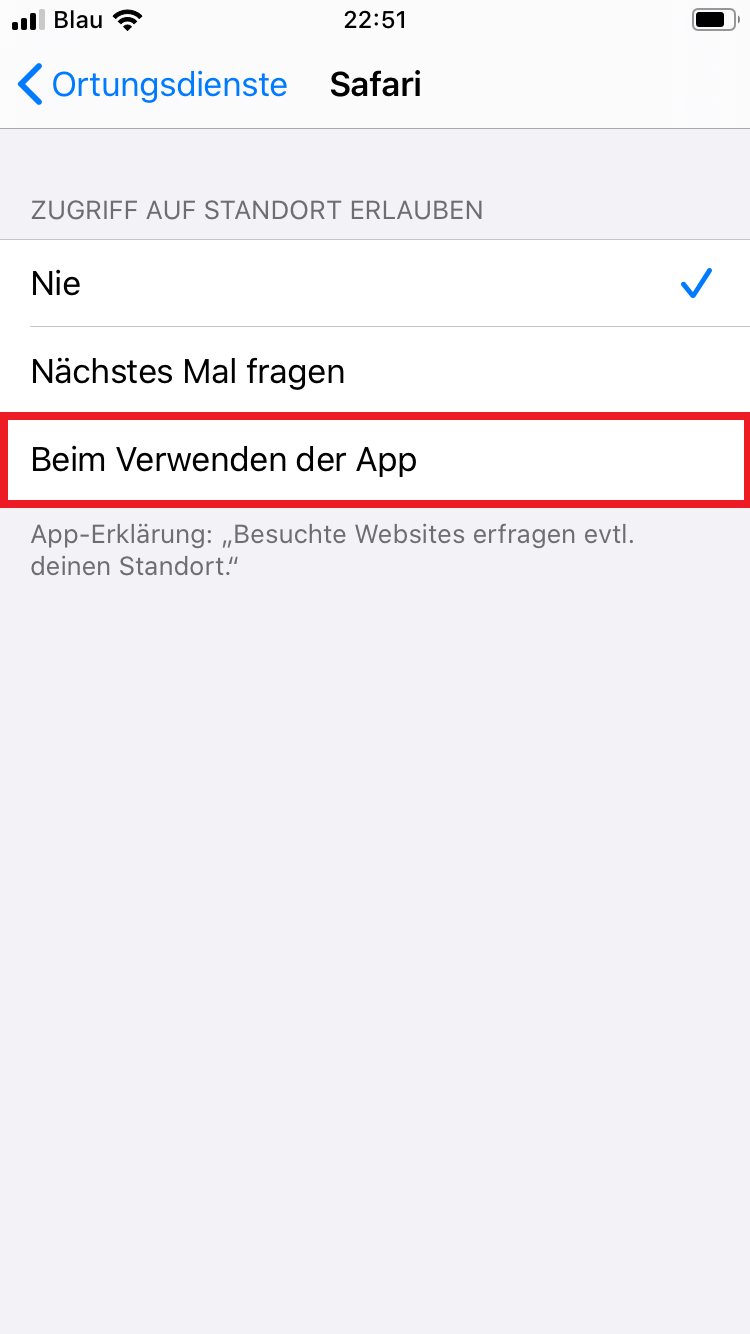
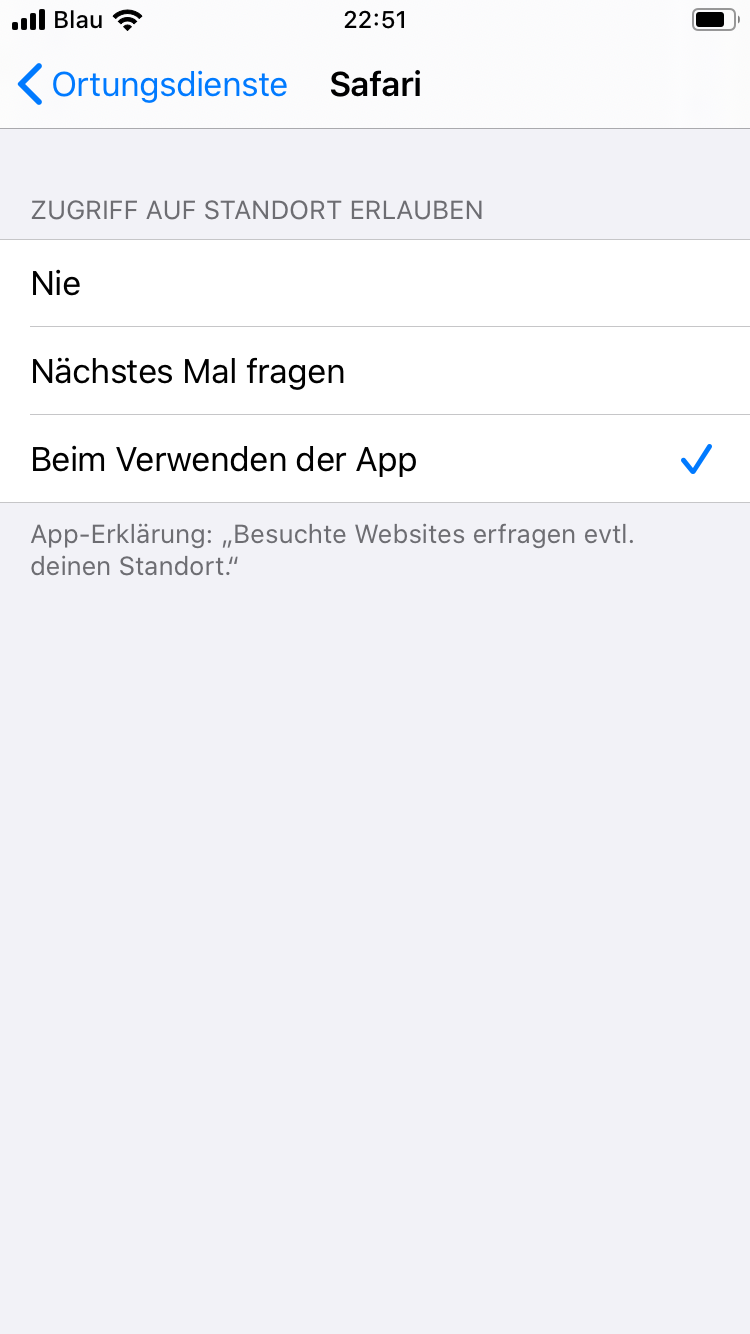
- Select “Safari” from the list that has appeared. And click “When using the app“.
-
-
-
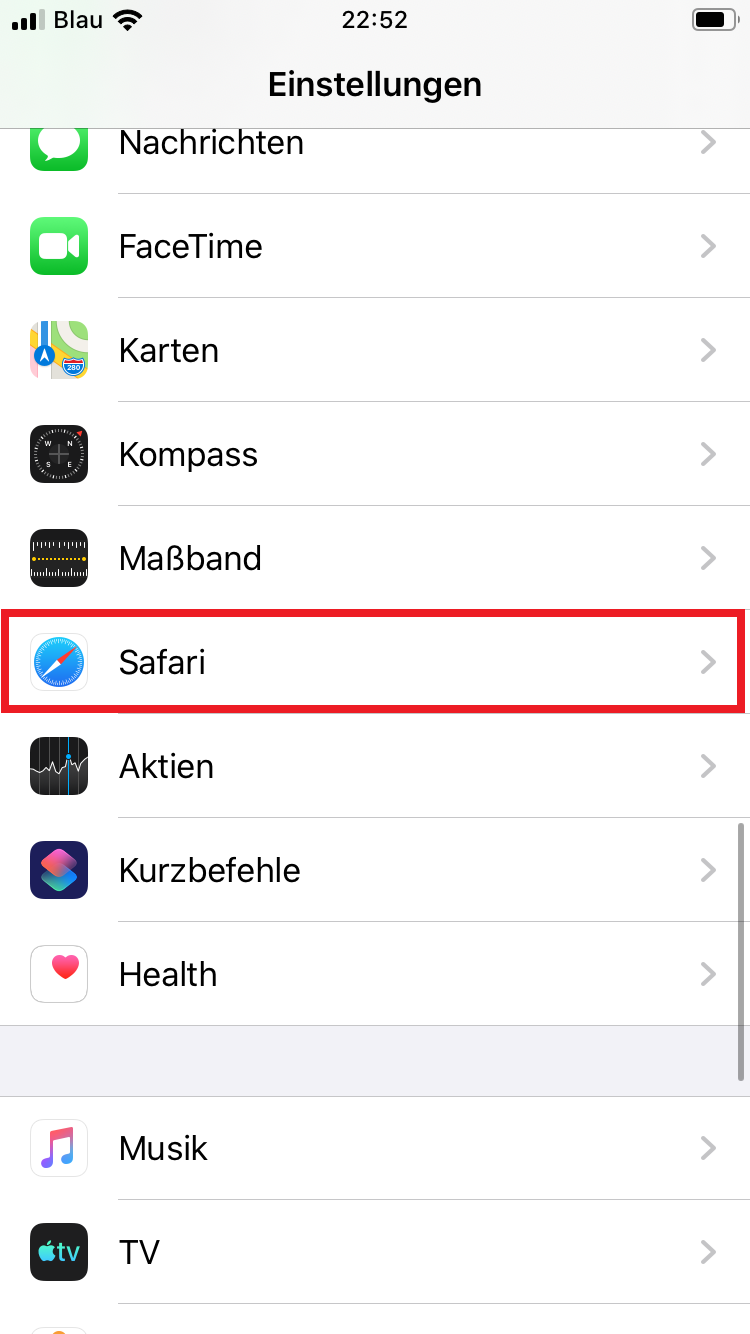
- Press the homescreen button once (large round button under the display) or swipe upwards on the screen to open the homescreen. Open the Settings app (cogwheels). Scroll down to the browser you are using, e.g. “Safari”, and tap it.
-
-
-
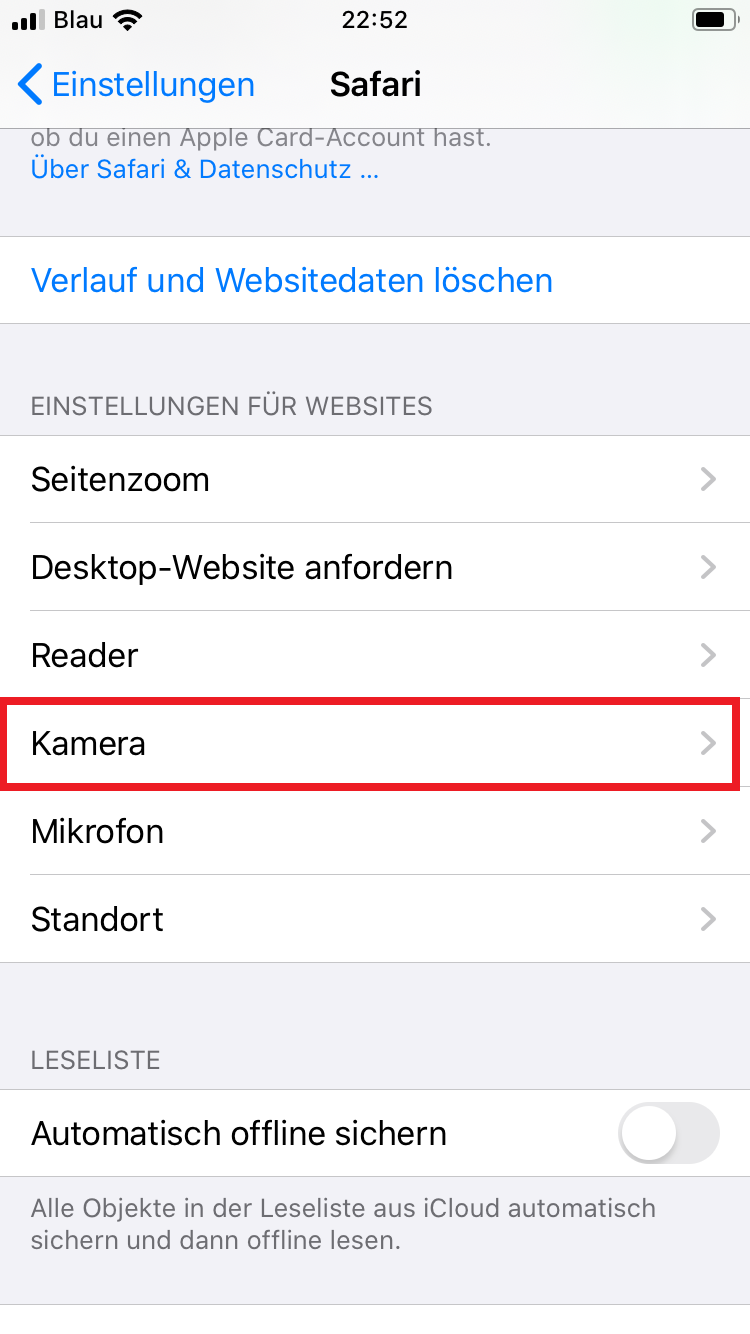
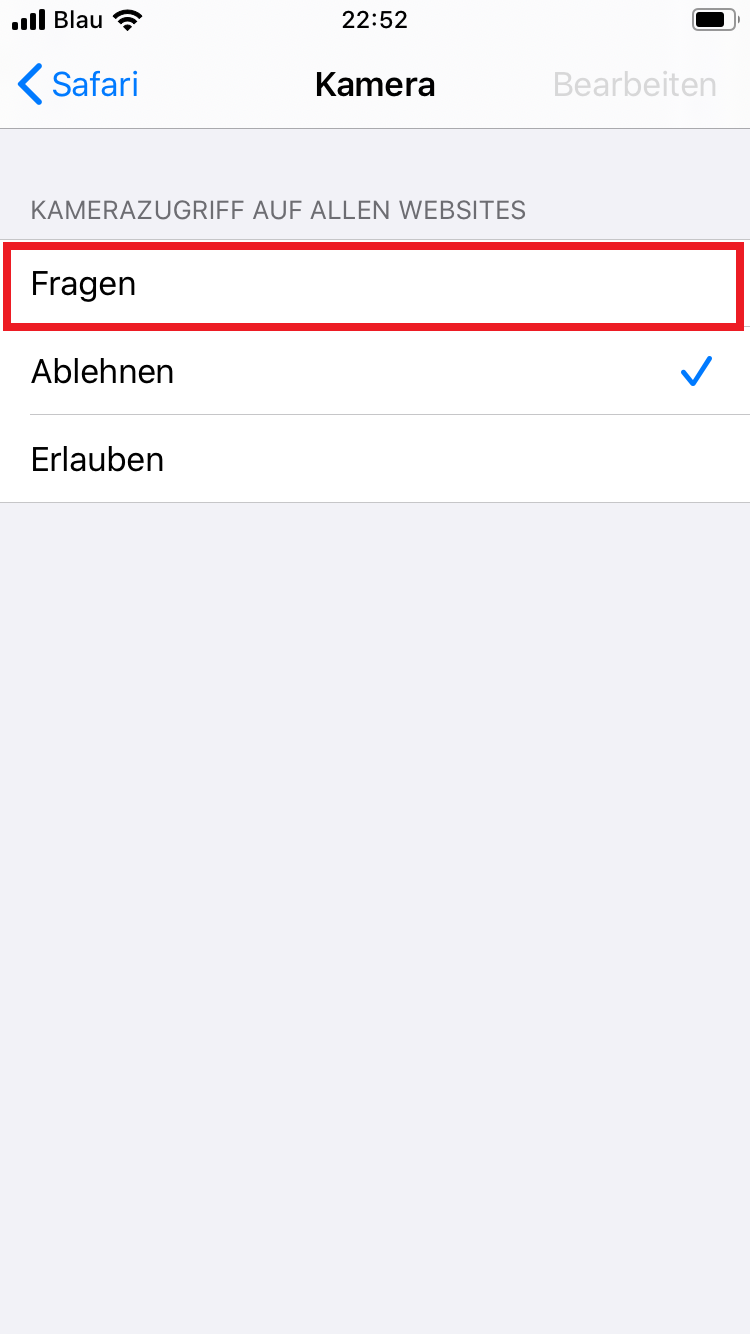
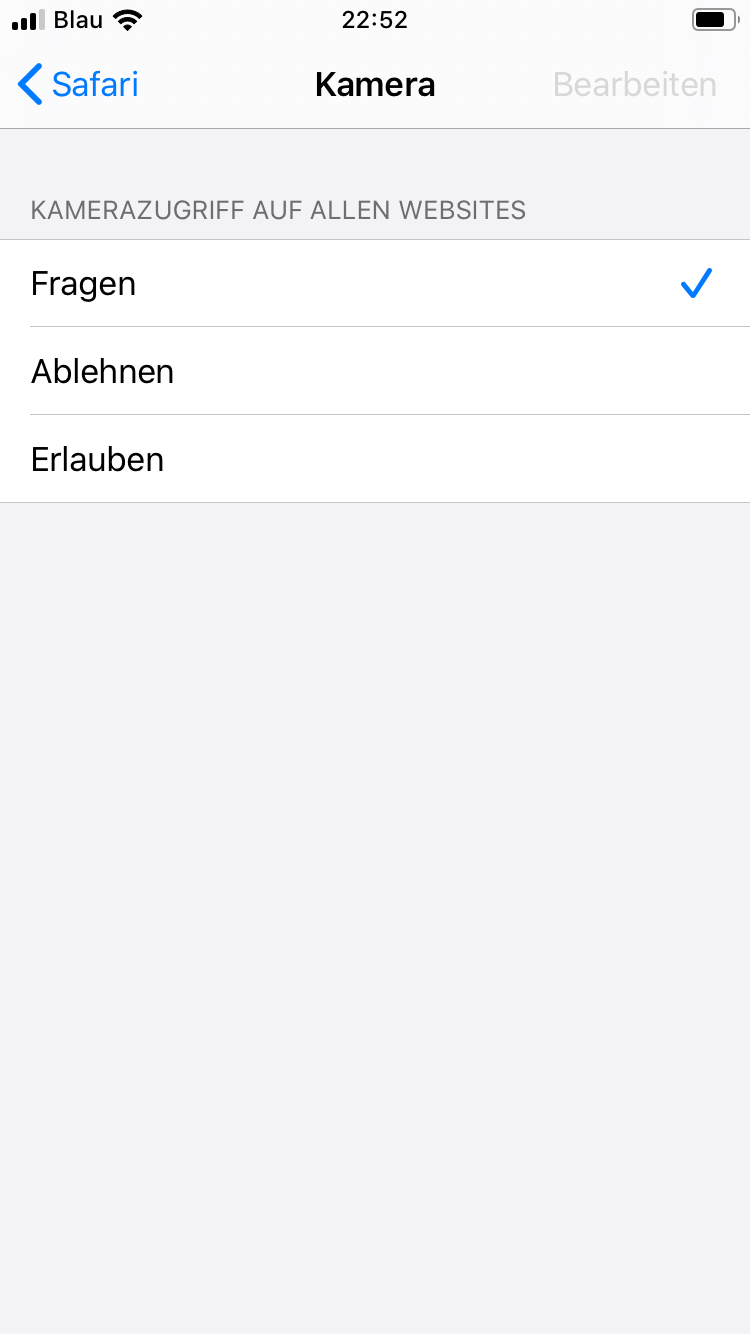
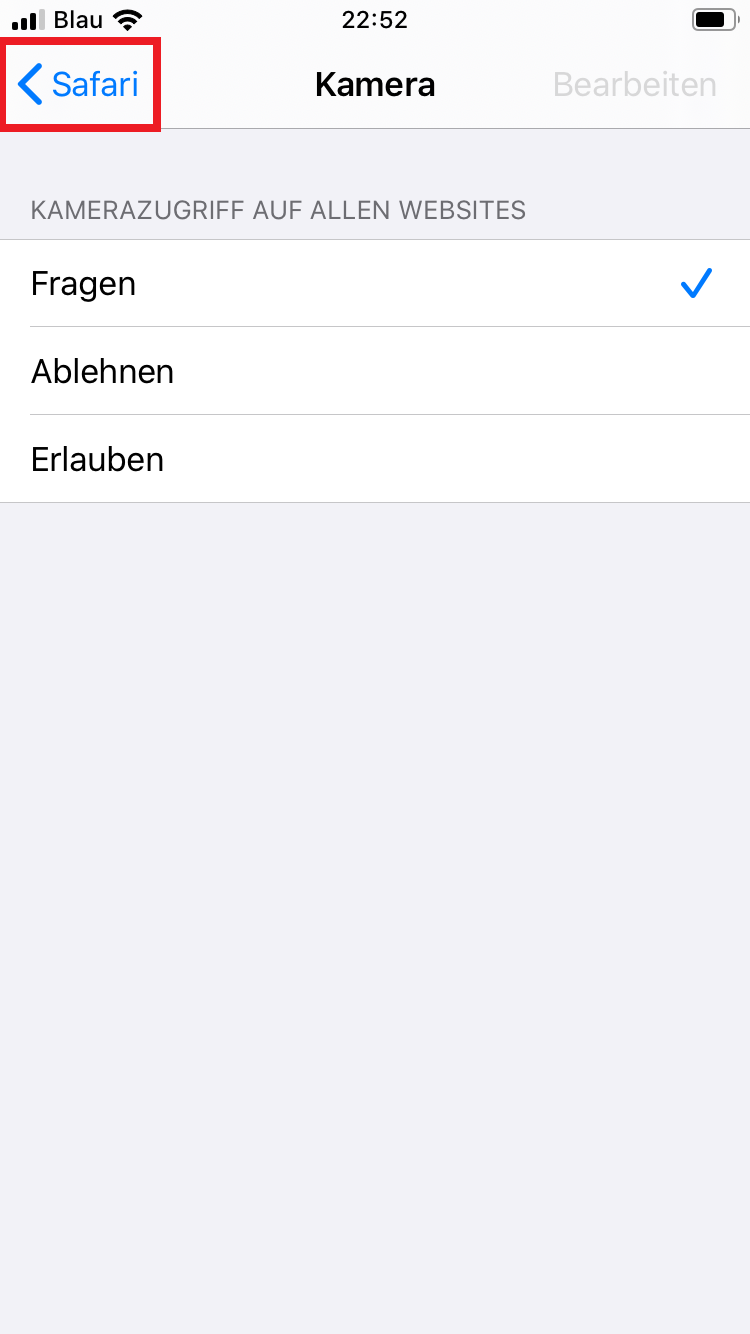
- Scroll down and tap “Camera”and allow camera access to “Questions”.
-
-
-
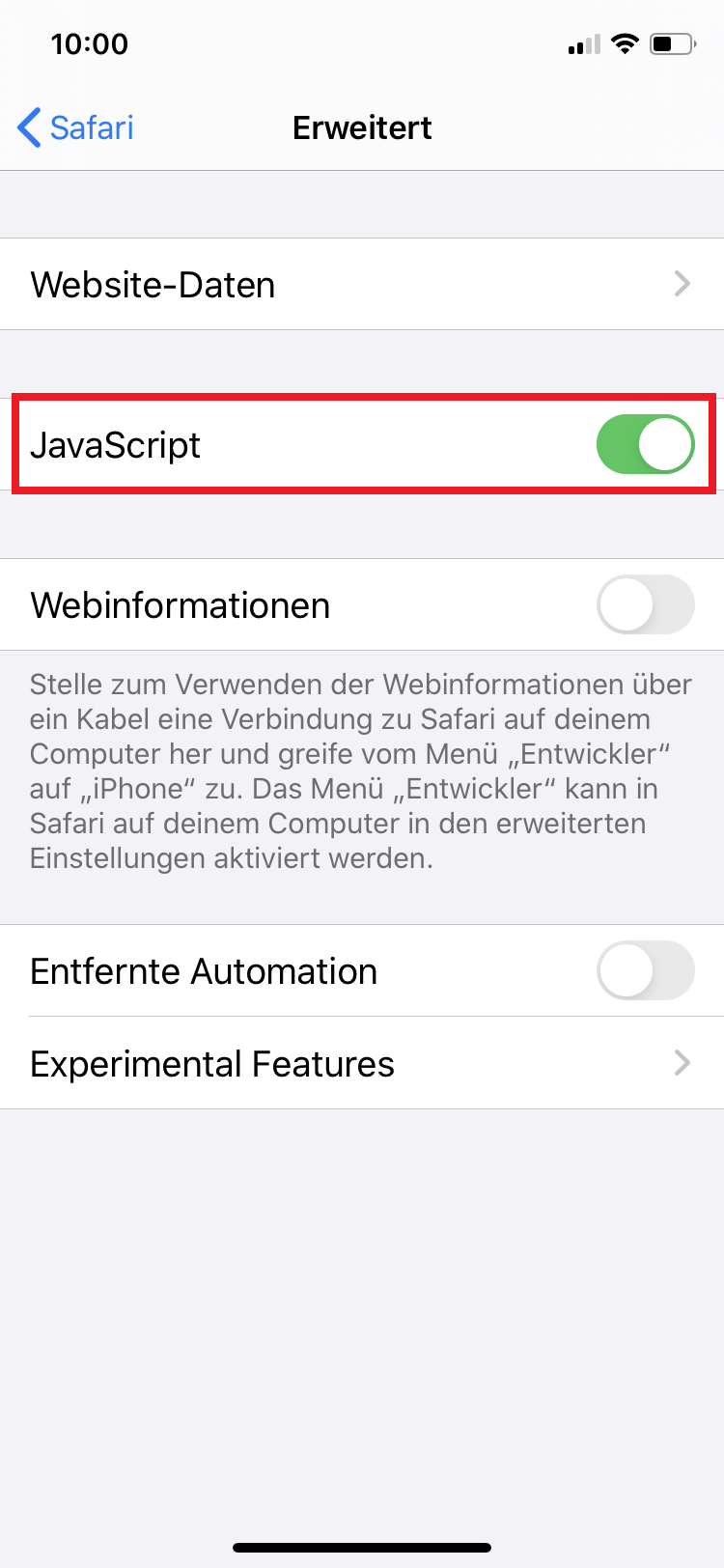
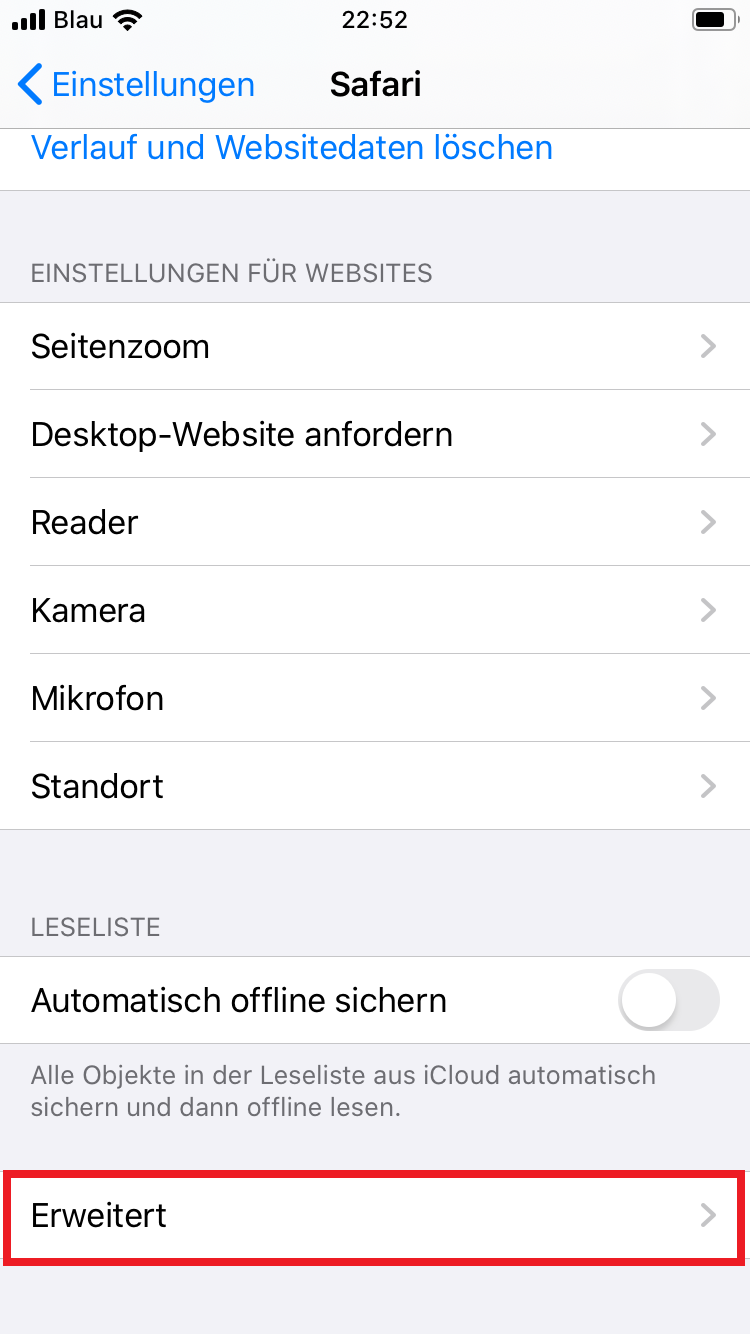
- Switch back one menu by arrow on the top left. Scroll down, click on “Advanced” and enable JavaScript
-
-
-